Respond faster in the Messages tab
Replying quickly to guests can lead to more bookings, better reviews and higher search rankings. The latest messaging upgrades make it easier to respond faster.
Auto-replies
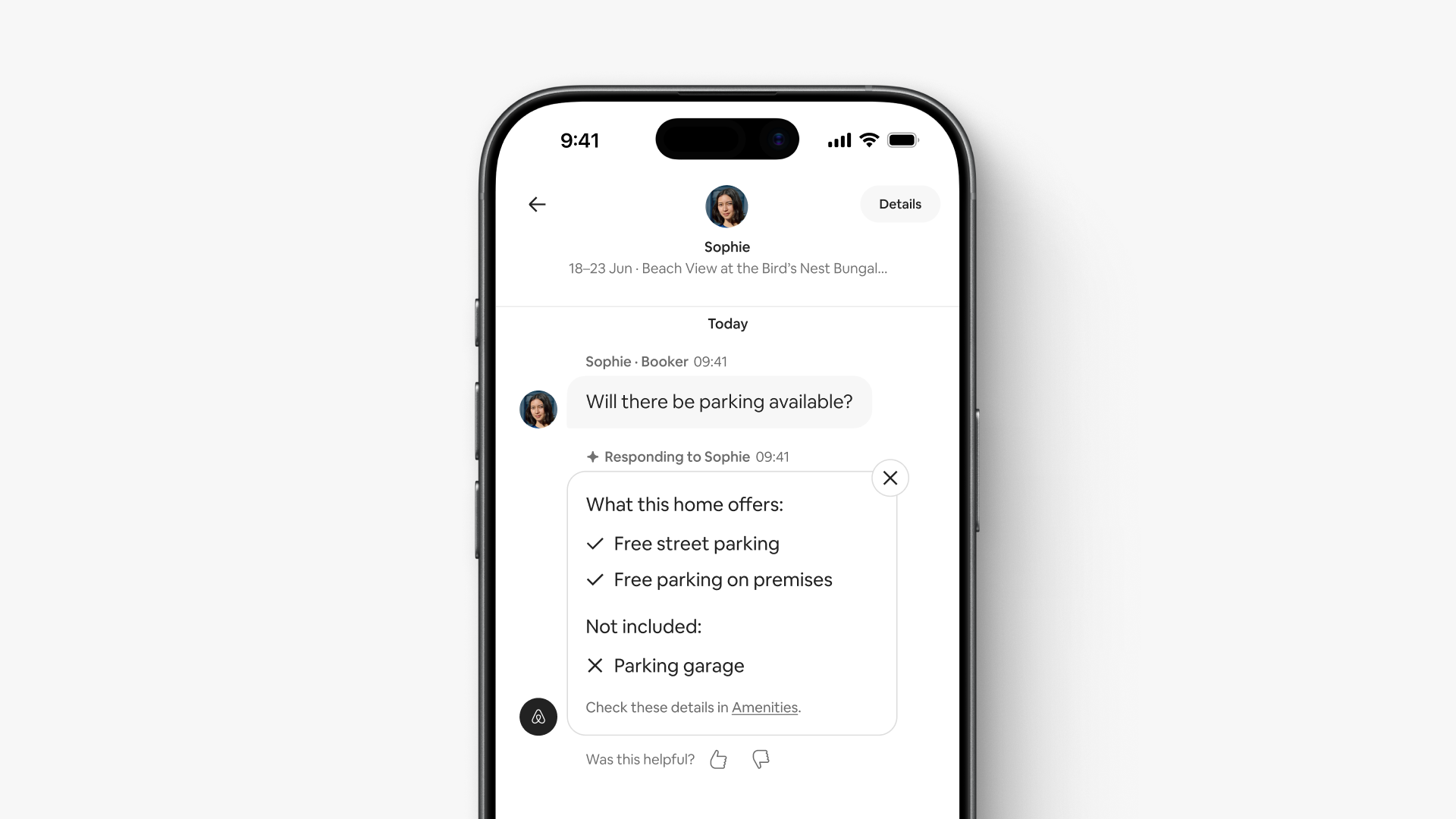
Guests receive AI-powered answers to common questions with details pulled from your listing page. This includes information in your amenities, listing description and house manual.
Each auto-reply identifies Airbnb as the sender, and both you and your guests can see it. You can delete the reply and send a different response anytime.
For example, if a guest asks about parking, the auto-reply might be, “This home offers free street parking and free parking on the premises. Check these details in Amenities.”
Suggested actions
The Messages tab uses AI to suggest actions based on guests’ messages. Each suggestion includes an interactive card that lets you start important tasks, like changing reservations and sending special offers, without leaving the conversation.
For example, if a guest asks if they can check in a day earlier, you’ll see a suggestion to change the reservation in your conversation. Tap the card to change the dates and send the guest a request to review the new itinerary.
Priority messages
Time-sensitive messages appear at the top of your inbox. New labels highlight things that need immediate attention, like guest booking enquiries and requests for help while checking in.
Looking for a specific conversation? You can still search messages by names, words or phrases. The results take into account any filters you’ve applied, helping you find conversations faster.
Messaging upgrades are rolling out in the coming months.
Information contained in this article may have changed since publication.